Table of Contents
What it does #
The Reports page answers two questions: Is my site getting better? (Overview) and What has been done to my site, and when? (History).
Why it matters #
- The Overview shows progress, so you can tell whether your effort is paying off.
- History is a diary of every scan, change and AI conversation. If something looks different on your site, you can see what caused it, and undo it.
New to VuloPilot? See GETTING-STARTED.
Overview tab #
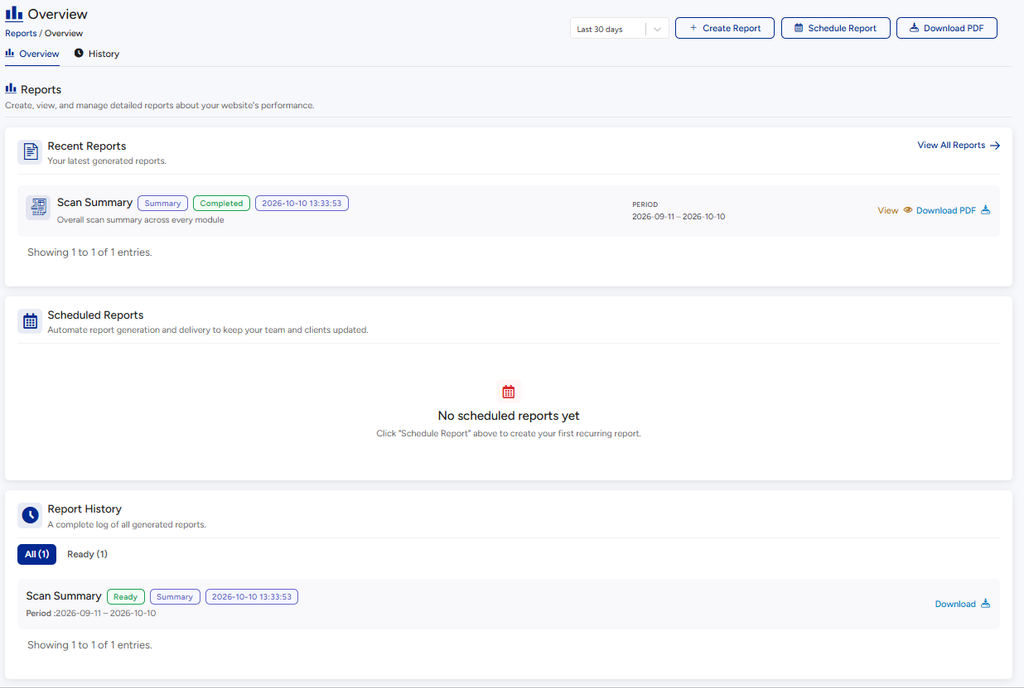
- The top card says whether your site is improving or needs attention. It counts issues Fixed and issues that Still need attention. “Every tracked area held steady or improved this period” means nothing got worse.
- The report cards (Visibility Report, Commerce Report, Content Report) show the total findings from your latest report of each kind, or “No report generated yet”.
- Recent Reports lists your latest reports; View All Reports shows the rest.
History tab #
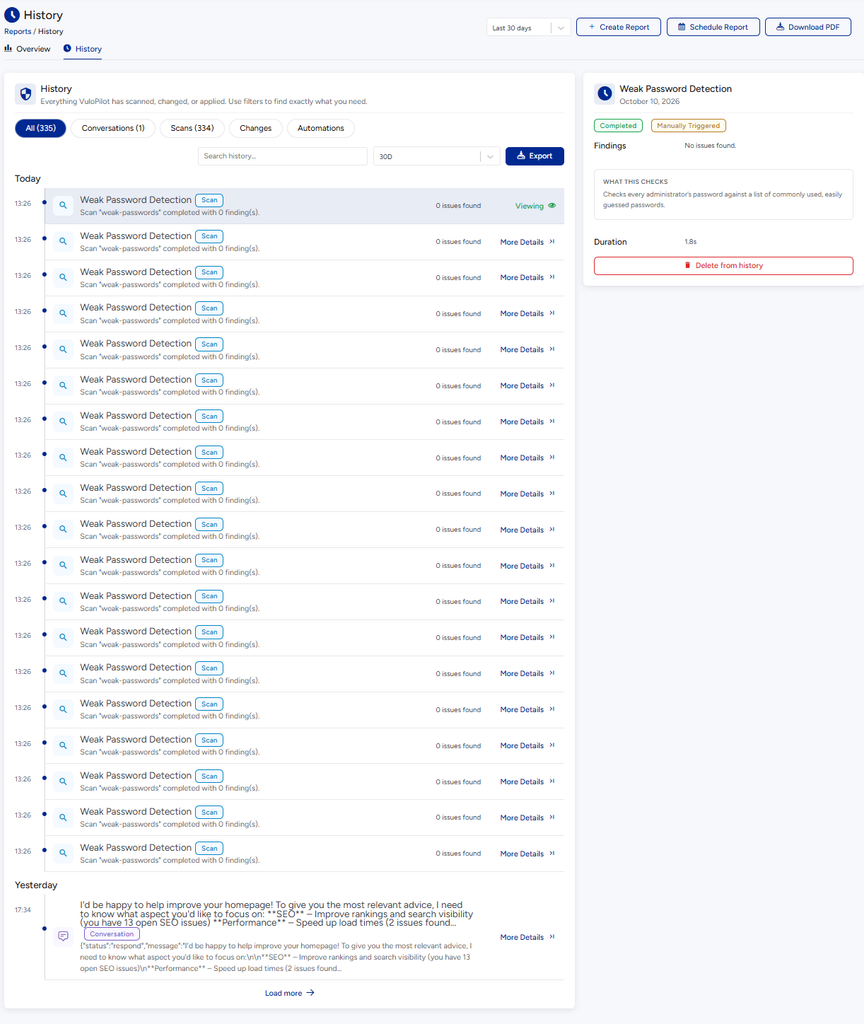
History is a timeline, grouped by day, of everything VuloPilot has:
- scanned (each scan and how many issues it found),
- changed on your site (with Before / After values),
- discussed in AI Copilot conversations,
- and other events such as alerts.
Find something #
- Type in Search history… to search by words.
- Use Select date range (or shortcuts like Today and All time).
- Use the filters to show only what you need.
- Click a row for the full details.
Save a copy #
Click Export to download the history that matches your filters. If nothing matches you see “Nothing to export.”
Undo a change #
If VuloPilot applied a change (for example an AI edit), its row has an Undo option. You will see “Change undone.” The Dashboard’s Recent Changes card lists the same changes.
Report settings #
Go to Settings → Reports.
| Setting | Choices | Why you might change it |
|---|---|---|
| Default report format | PDF (recommended, good for sharing and printing), CSV (best for spreadsheets), or Both (pick each time) | Choose what you will actually do with the report |
| Default reporting period | 7 days, 30 days, 90 days or 6 months | A short period shows recent change; a long one shows the big picture |
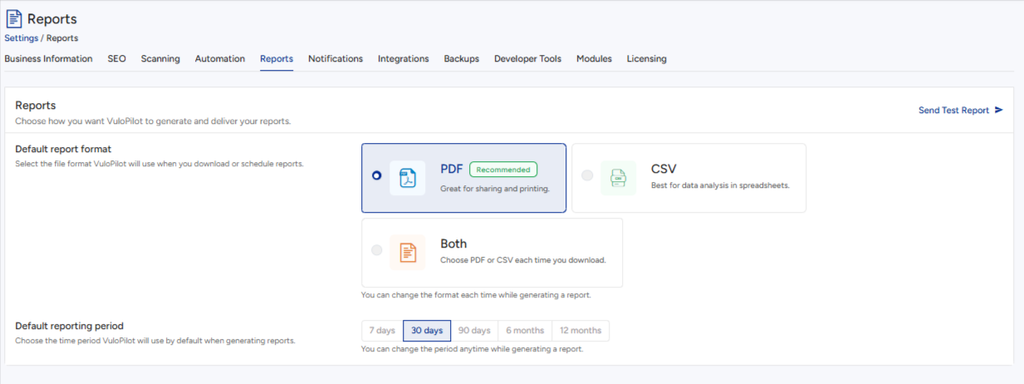
You can change the format and period each time you create a report.
Related #
- AUTOMATIONS – get the visibility report by email
- AI-COPILOT
Advanced reports #
Available with VuloPilot Pro. It adds to the free reports.
- Custom reports: choose the sections you want and build your own report.
- Health report: a single summary of your site’s scores over time.
- AI analytics: how much AI credit you’ve used and how often requests succeeded, for the last 30 days.
- PDF export: download any report as a PDF.
- Scheduled reports: have a report run on a timer and saved for you.


