What it does #
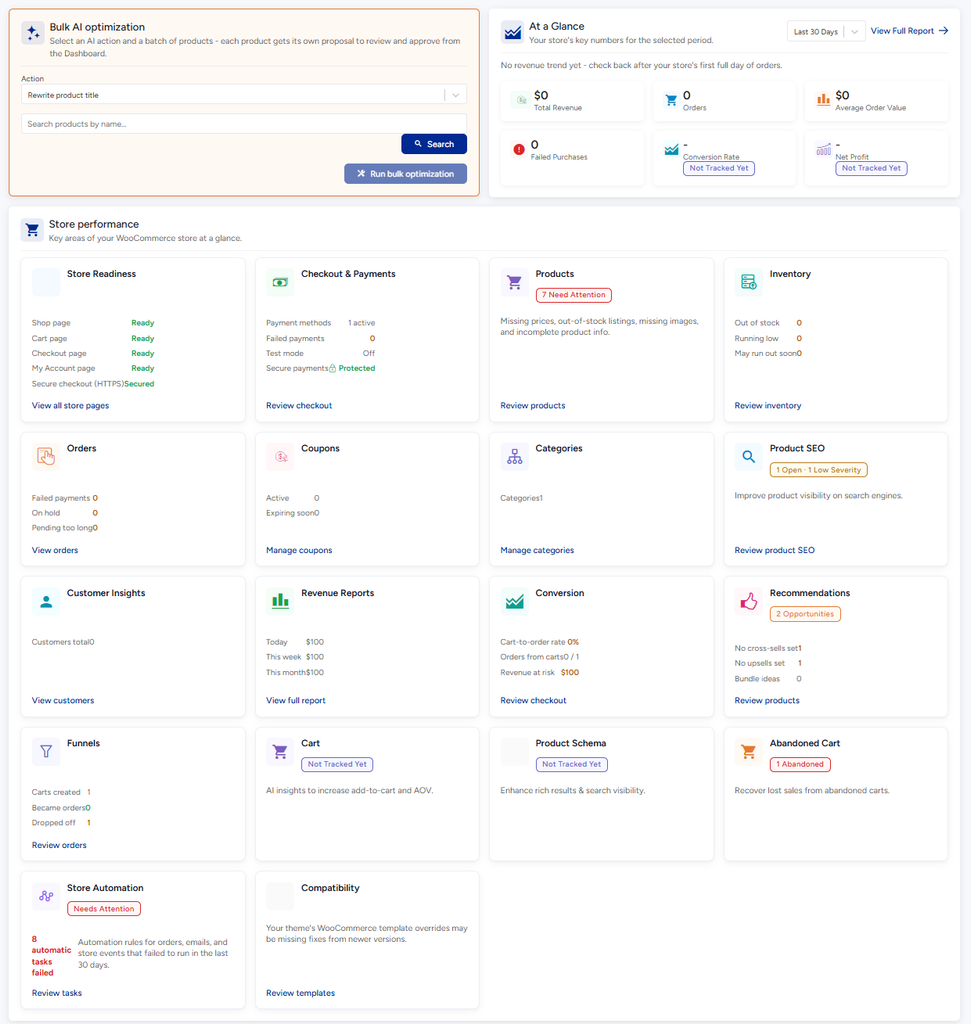
If you run a WooCommerce store, the Commerce page collects problems that could cost you sales: product information that is missing, checkout problems and store settings that need attention. It only appears in the menu when WooCommerce is active.
Why it matters #
Shoppers leave if a product page looks incomplete or checkout feels broken. Finding these issues yourself means clicking through every product. Commerce lists them for you.
New to VuloPilot? See GETTING-STARTED
How to use it #
- Open VuloPilot → Commerce.
- Click Run scan. Until you do, the page says “No WooCommerce findings yet.”
- Read the All WooCommerce Issues table. Important shows the most serious ones first.
- Open an issue, fix it in WooCommerce and scan again.

| Group | What it covers |
|---|---|
| Products | Problems with product information |
| Checkout | Problems that could stop someone buying |
| Store | Store-wide settings |
AI Sales Assistant #
This card sums up your store’s open problems in plain language and can suggest improvements using your AI connection AI-COPILOT. Choose Review Suggestions First to look at what it proposes before anything changes.
Product labels for search engines #
To show price and stock in search results, products need hidden labels called schema. Check them at SEO & Visibility → Business Identity & Schema → Product Details, which lists your products and whether their schema is fine. More in AI-VISIBILITY

Setting #
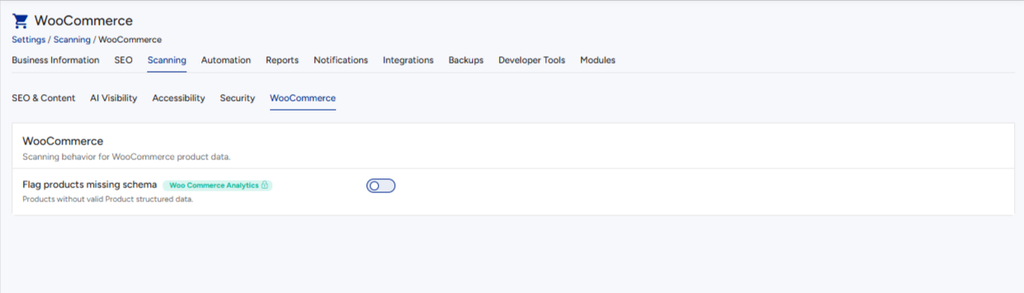
Go to Settings → Scanning → WooCommerce.
| Setting | What it does | Why turn it on |
|---|---|---|
| Flag products missing schema | Reports products that lack the hidden labels search engines use | Products with schema can show price and availability in search results |
Related #
WooCommerce Analytics #
Available with VuloPilot Pro and the WooCommerce Analytics module turned on under Settings → Modules.
- Store checks: the Commerce page also flags product problems such as missing images, categories or tags, duplicate SKUs, pricing gaps, low inventory and weak product SEO. It also flags checkout problems, failed payments, orders stuck pending or on hold, and theme templates that are out of date.
- Revenue and sales: today, 7-day and 30-day revenue, the top 5 products by revenue, cross-sell and upsell gaps, and products that haven’t sold in 90 days.
- Abandoned carts: carts that sat idle for an hour without checking out, with the revenue at risk. It also shows carts created, carts that became orders, and the conversion rate over the last 30 days.
- Store trends: a daily history of sales totals, saved once a day.
- AI product actions: write or improve product titles, descriptions, meta descriptions, schema, FAQs and cross-sells. You can run them on one product or in bulk, up to 50 products at a time.
For developer details, see ../developer/WOOCOMMERCE-ANALYTICS-MODULE.md.