- What it does
- Why it matters
- Words you will see
- Step 1: Tell VuloPilot about your business
- Step 2: Run a scan
- The Overview tab
- GEO: make your content easy for AI to use
- AEO: get picked as the answer
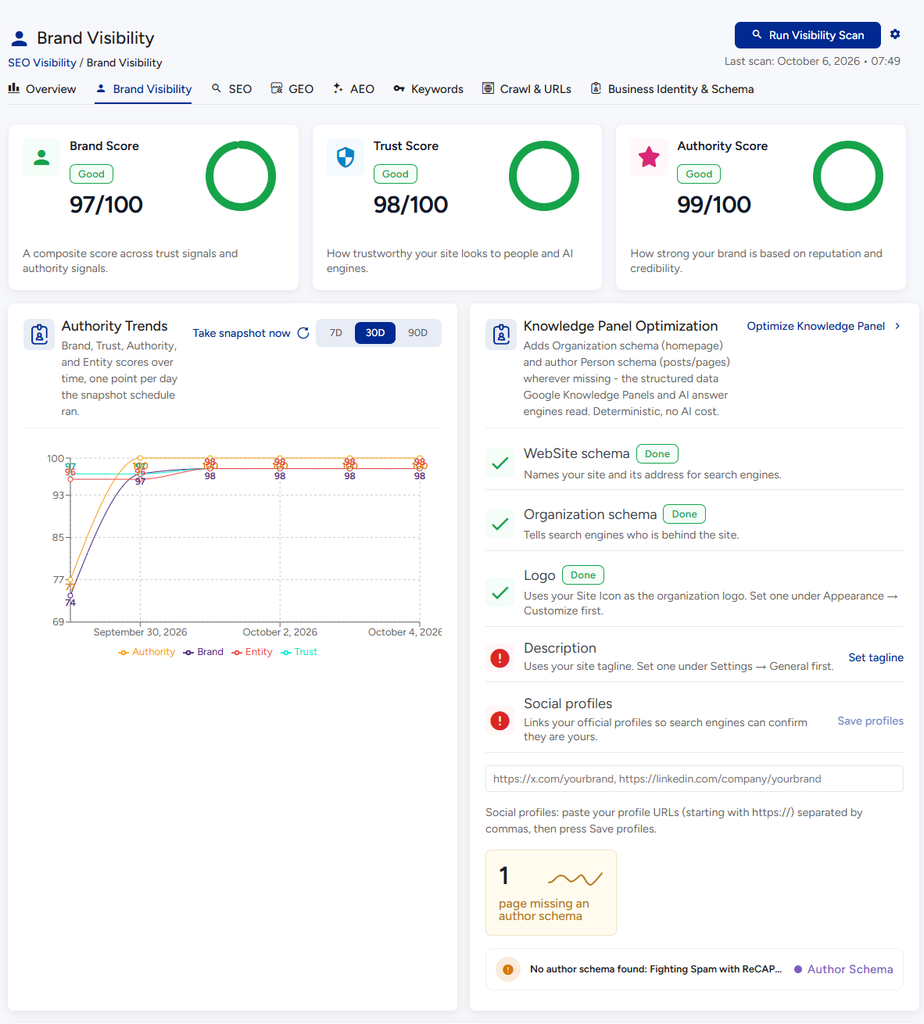
- Brand Visibility: look trustworthy
- Crawl & URLs: who visits your site
- Business Identity & Schema: what machines learn about you
- Keywords
- Settings for these scans
- Related
- Answer engine optimization (Pro)
- AI crawler tracking (Pro)
- Brand visibility and knowledge graph (Pro)
What it does #
More and more people ask ChatGPT, Claude, Gemini or Perplexity instead of typing into Google. AI Visibility checks how easy it is for these assistants to find your site, understand it and quote it in their answers. It gives you scores and a to-do list, just like the SEO tools do for search engines.
Why it matters #
If an AI assistant cannot understand what your business is, it will not recommend you. Clear business details, direct answers and trustworthy signals make your site more likely to be mentioned.
New to VuloPilot? See GETTING-STARTED. Classic search engine work is in SEO.
Words you will see #
| Word | Simple meaning |
|---|---|
| GEO | Making your content easy for AI systems to read and reuse |
| AEO | Making pages answer questions directly so they can be quoted |
| Brand Visibility | Signs that your site is trustworthy and an authority |
| Entity | A named thing on your site: your business, a person, a product, a service, a place |
| Schema | Hidden labels on a page that tell machines what it is about |
| llms.txt | A simple page that lists your most important pages for AI to read |
Step 1: Tell VuloPilot about your business #
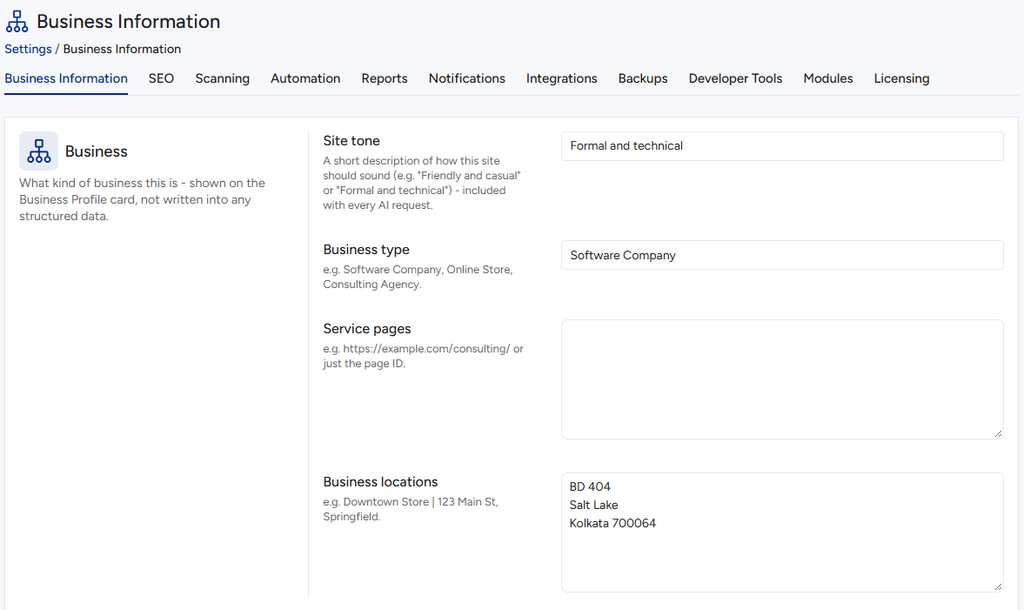
Go to Settings → Business Information and fill in:
| Field | What it is | Why it helps |
|---|---|---|
| Business type | For example “Online Store” or “Consulting Agency” | Helps VuloPilot describe you correctly |
| Site tone | How you sound, such as “Friendly and casual” | AI writing then matches your style |
| Service pages | The pages that describe what you offer | Helps AI see your services |
| Business locations | Where you operate | Helps with local questions |
| Competitors | Other businesses in your field | Lets VuloPilot compare your presence with theirs |
Step 2: Run a scan #
- Open VuloPilot → SEO & Visibility.
- Click Run Visibility Scan.
- Explore the tabs: Overview, Brand Visibility, SEO, GEO, AEO, Keywords, Crawl & URLs, Business Identity & Schema.
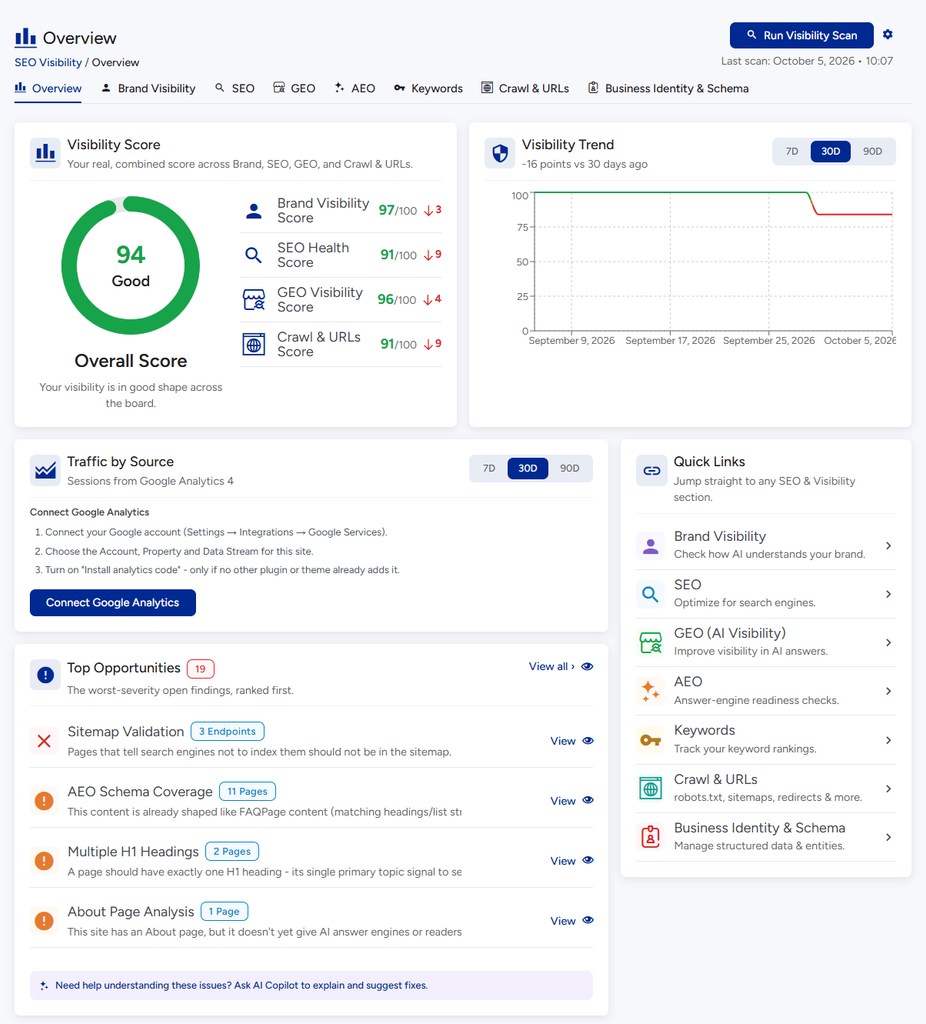
The Overview tab #
Four scores at a glance: Brand Visibility, SEO Health, GEO Visibility and Crawl & URLs. Each is Good, Needs Work or At Risk, with a one-line summary. If you connect Google Analytics you also see where your visitors come from.
GEO: make your content easy for AI to use #
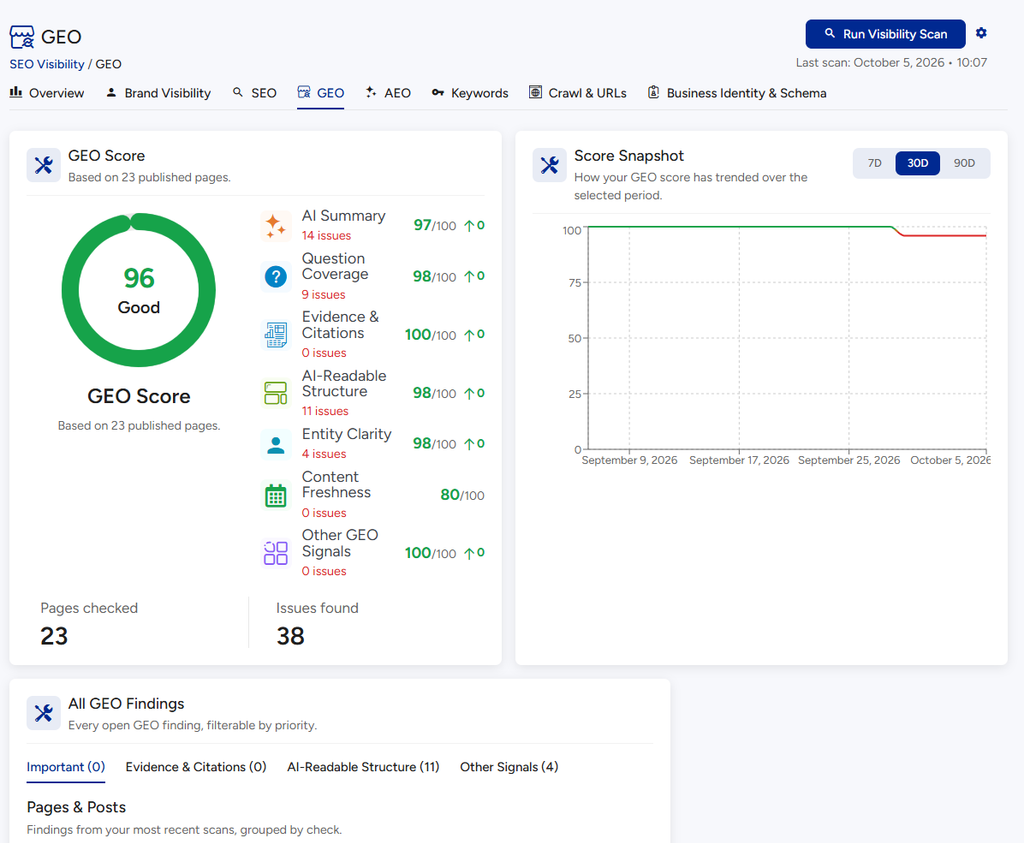
What it checks.
| Topic | The question it asks |
|---|---|
| AI Summary | Does the page start with a short answer an AI can quote? |
| Question Coverage | Does the page answer common questions, ideally in a FAQ? |
| Evidence & Citations | Are numbers and claims backed by a source? |
| AI-Readable Structure | Are paragraphs short and headings in a sensible order? |
| Entity Clarity | Do you call your brand, people and products the same thing every time? |
| Content Freshness | Has the page been updated recently? |
How to use it. Open GEO, use A Closer Look, By Topic to see which pages are affected, and follow the advice on each. The Fix these first card puts the work in order.
AEO: get picked as the answer #
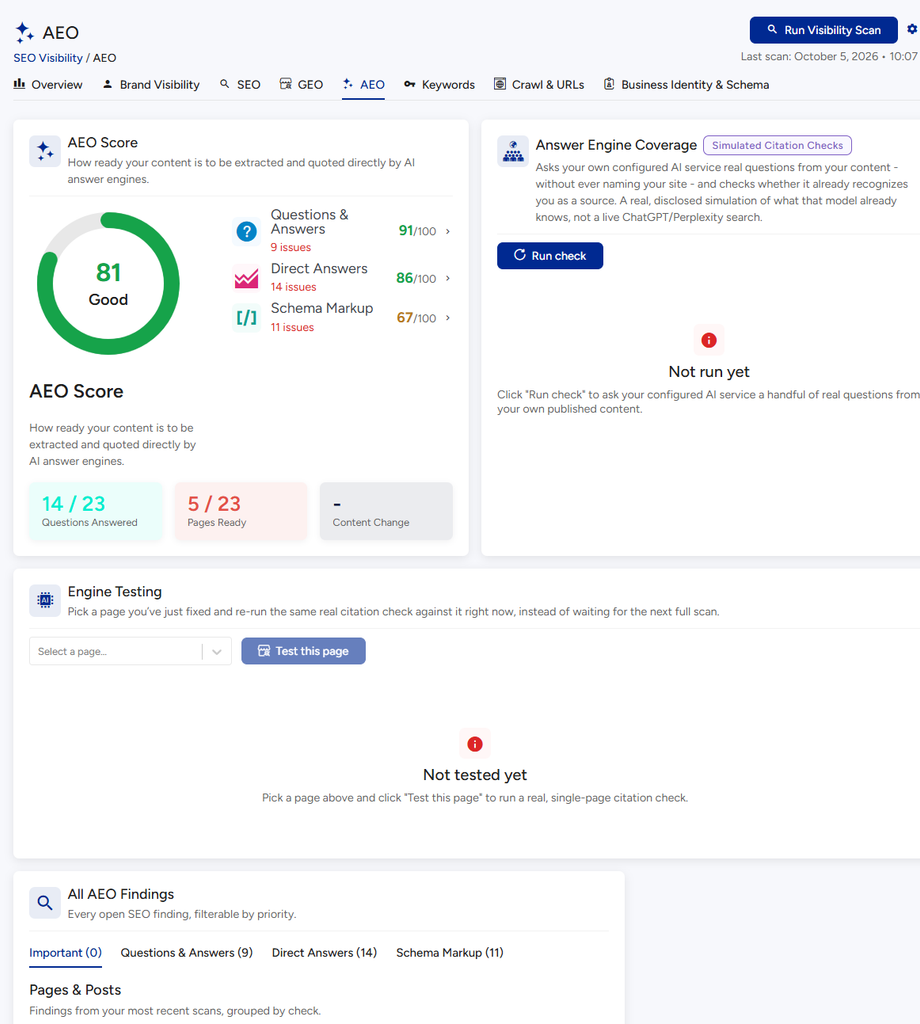
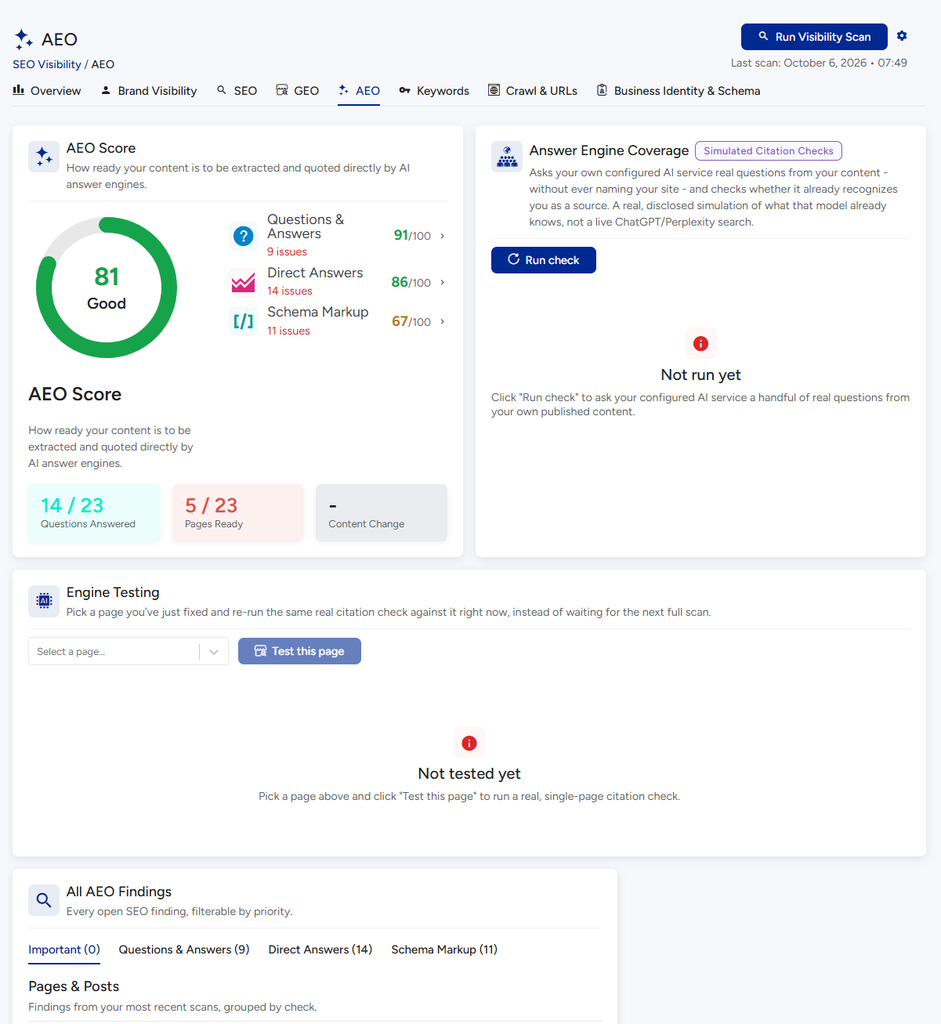
What it checks. Whether pages answer questions clearly. It also has two helpers:
- Citation coverage shows how many test questions your AI service already links to your site.
- Engine Testing lets you pick a page you just fixed and click Test this page to see right away whether AI now recognizes it. This uses your AI connection.
Tip. Add a FAQ block to pages that answer common questions (see SEO).
Brand Visibility: look trustworthy #
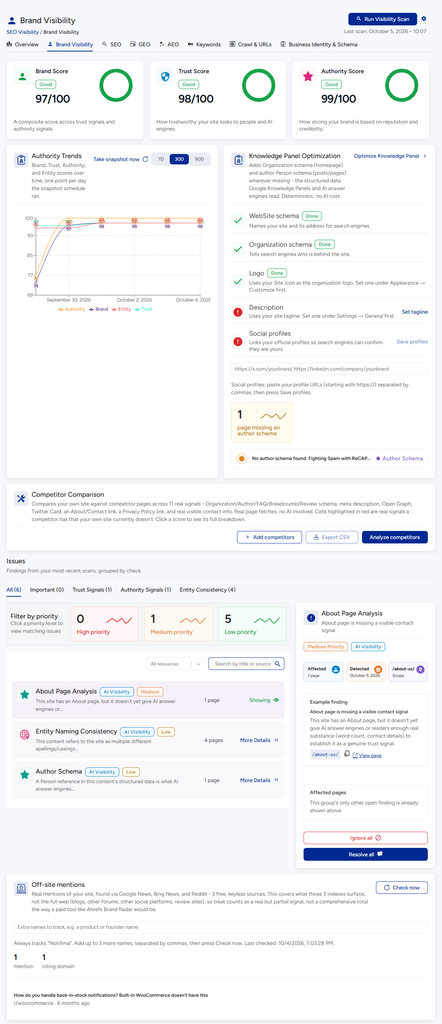
What it does. Scores how trustworthy and well-known your brand looks.
| Score | Meaning |
|---|---|
| Trust Score | Would a person or AI trust your site? |
| Authority Score | How strong is your reputation and credibility? |
It checks for a real About page and Contact page, author information, regular content updates, and consistent naming.
The About page check has one setting: Settings → Scanning → SEO & Content → About Page → Minimum About page word count (default 80). A page shorter than this is treated as too thin to build trust.
Crawl & URLs: who visits your site #
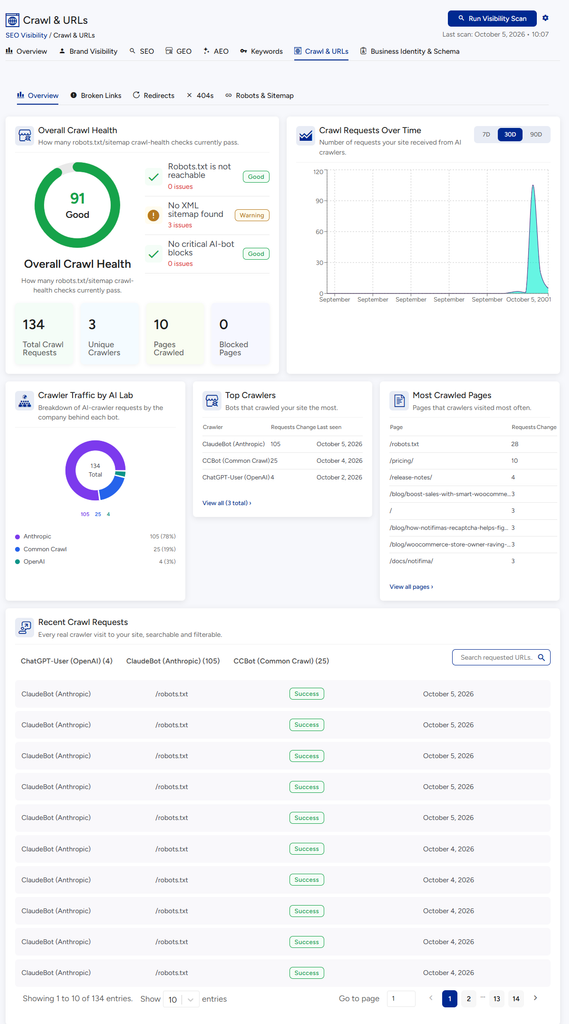
What it does. Shows visits from AI robots (called crawlers) such as GPTBot, ClaudeBot and PerplexityBot, and whether your site is set up to let them in.
Why it matters. If a robot is blocked, that assistant cannot learn about you. If you do not want a robot to visit, you can see whether it keeps trying.
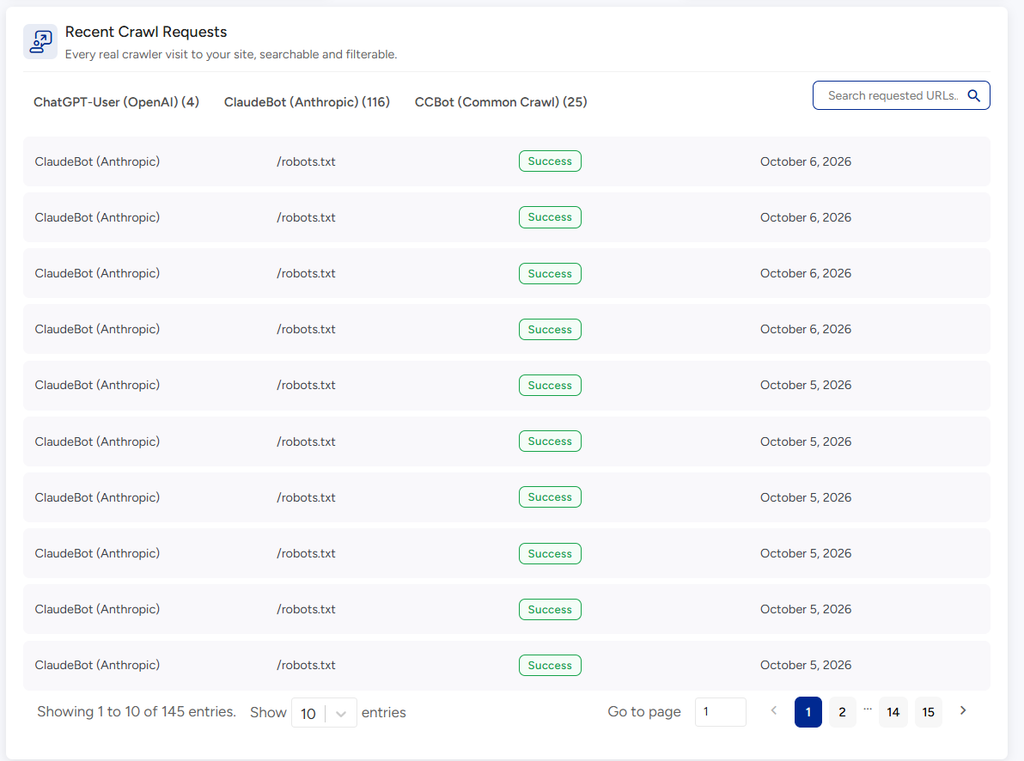
- Crawler Traffic charts visits over time. Recent Crawl Requests lists each visit. VuloPilot stores only the bot name and the page, never visitor IP addresses.
- Overall Crawl Health checks that your robots.txt file works, you have a sitemap, and important AI bots are not blocked by accident.
- llms.txt is an editable list of your key pages, served at
yoursite.com/llms.txt, for AI to read instead of browsing your whole site.
Business Identity & Schema: what machines learn about you #
What it does. Shows what search engines and AI think your business is, based on your site.
| Section | What you see |
|---|---|
| Business Profile | Business name, type, services, locations, people, products and categories found, each with a confidence level. Click Edit Business Information to correct anything |
| Knowledge Graph | A diagram of the things VuloPilot found and how they connect |
| Schema Coverage | Which pages carry the hidden labels (schema) and which have problems |
| Inspect a specific page | Pick a page to see exactly what labels it sends. Filters: All, With schema, Need attention |
| Product Details | Your products and whether they have schema (needs WooCommerce) |
Why it matters. If the profile is wrong or empty, AI will describe your business wrongly or not at all.
Keywords #
The Keywords tab shows which search phrases bring people to you, after you connect Google Search Console (Connect Google Services). Until then it reminds you to connect.
Settings for these scans #
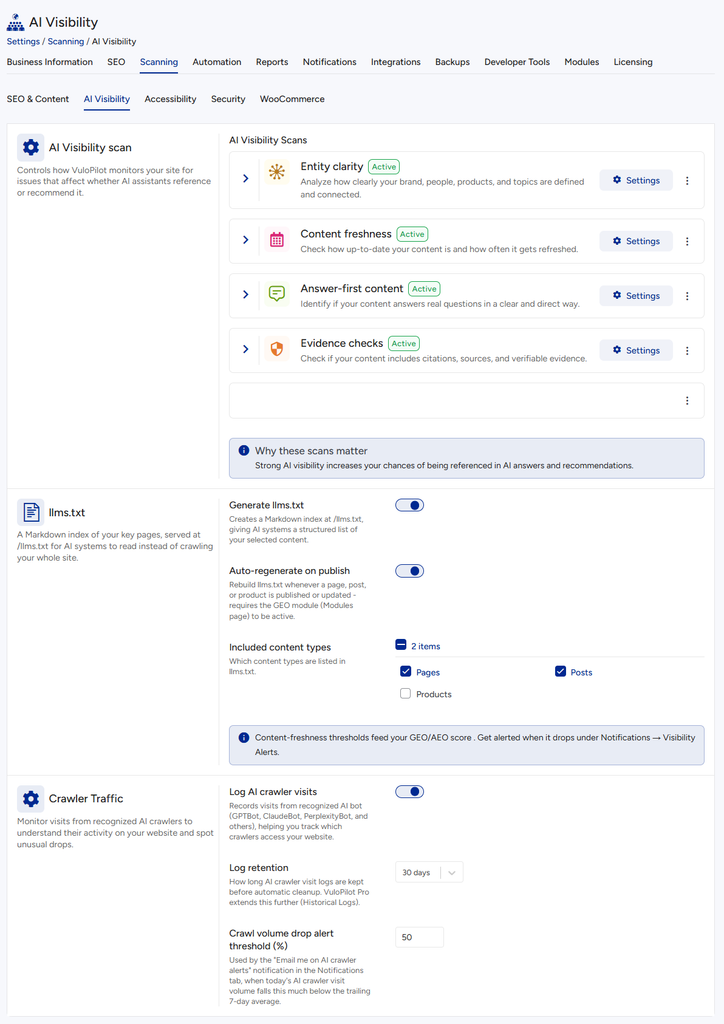
Go to Settings → Scanning → AI Visibility.
| Setting | What it does | Why you might use it |
|---|---|---|
| Entity clarity and Minimum entity mentions | Reports pages that barely mention their main subject | Clear subjects are easier for AI to understand |
| Content freshness and Flag content older than (months) | Reports pages not updated within this time | Old content is trusted less |
| Answer-first content and Answer-first threshold (words) | Reports pages where the answer comes too late | AI quotes early, direct answers |
| Evidence checks and Minimum data points per 500 words | Reports pages with too few facts, numbers or sources | Facts build credibility |
| Generate llms.txt | Creates the /llms.txt page | Gives AI a tidy map of your site |
| Auto-regenerate on publish | Rebuilds llms.txt whenever content changes | Keeps it up to date without effort |
Related #
Answer engine optimization (Pro) #
Available with VuloPilot Pro and the Answer Engine Optimization module turned on under Settings → Modules. It shows how often AI answer engines cite your site, and helps you improve it.
– **Citation coverage:** which of your pages AI engines cite, and which they ignore.
– **Engine testing:** runs test questions about your business against the engines and shows what they say.
– **llms.txt:** flags when your site has no `llms.txt` file, which gives AI crawlers a summary of your site.
– **Stale content:** flags pages that haven’t been updated in a while, since AI engines tend to prefer current answers.
If GEO analysis is also on, the two share their data. Turning one off doesn’t remove the other.
For developer details, see [`../developer/ANSWER-ENGINE-OPTIMIZATION-MODULE.md`](../developer/ANSWER-ENGINE-OPTIMIZATION-MODULE.md).
AI crawler tracking (Pro) #
Available with VuloPilot Pro with the AI Crawler Tracking module on. It records which AI bots visit your site, which pages they read, and when. It can alert you when a bot stops visiting, or when a page you want found is blocked from AI bots. It also shows how crawler visits line up with your AI visibility scores.
Brand visibility and knowledge graph (Pro) #
Available with VuloPilot Pro. The brand and knowledge graph features look at how your business is described across your site and the web. They show which entities (your business, your services, your people) are recognised, how they link together, and where the description is incomplete. Each finding says what to add and where.