What it does #
The Content page helps you write new content with AI and keep your existing content healthy. You can generate a blog post from a topic, check how good a page is, and fix pages that share the same title.
Why it matters #
Good content brings visitors, but writing takes time. AI drafts save hours, and content checks stop old or weak pages from quietly hurting your search results.
New to VuloPilot? See GETTING-STARTED. AI tools need a VuloCloud connection: see AI-COPILOT.
How AI tools work here #
Every AI tool follows the same safe steps:
You give a topic → AI writes it → You see Before and After → You click Approve & apply, or Reject
Nothing goes live until you approve. Generated posts are saved as drafts, not published.
Tools you can use #
| Tool | What it does | When to use it |
|---|---|---|
| AI Writer | Writes content about a topic you describe (“What should it write about?”) | A first draft of a page or post |
| Blog Generator | Creates an SEO-friendly blog post from a Topic | Fresh blog content |
| Duplicate Content | Suggests a different title for posts that share exactly the same title | Cleaning up repeated titles |

Tiles marked with a tag are not part of this plugin and stay locked.
How to use a tool:
- Click the tile.
- Fill in the topic or choose the post.
- Click Generate. You see “Generating with AI…”.
- Compare Before and After.
- Click Approve & apply to keep it, Reject to discard, or Try again for a new attempt.
AI Content Assistant #
A shortcut panel with ready-made requests: Write a blog, Create a product description, Generate FAQs, Create meta title and Write a call-to-action. Each asks one short question, such as “What should the blog be about?”, then does the work.
Check your existing content #
| Feature | What it does | Why use it |
|---|---|---|
| Run Content Audit (header button) | Scans your content for problems | Finds weak pages in one go |
| AI Content Audit (Quick actions) | Scores one post or page and lists suggestions | A focused review before you publish or update |
| Content Quality (Page Analysis) | Shows quality signals for a single page you pick | Compare pages and see what to improve |
| Content Stats | Content created, words generated, SEO score and time saved for a period | See what your effort produced |
| Recent Content | Your latest posts and pages, filterable by type, with a Content Issues link | Jump to what needs work |
Readable content #
VuloPilot flags posts that are hard to read, using a standard 0 to 100 scale where a higher number is easier. Choose your minimum under Settings → Scanning → SEO & Content → Readability → Minimum readability score (default 50). Lower scores usually mean long sentences and complicated words; shorter sentences fix most of it.

Other content checks, such as very short pages, are explained in SEO.
Fixing duplicate titles #
If two posts have exactly the same title, search engines struggle to tell them apart.
- Open the Duplicate Content tool.
- Pick one of the listed posts.
- Generate a new title, compare and approve.
If you see “No duplicate titles found”, you have nothing to fix.
Related #
- AI-COPILOT – connects VuloCloud so the AI tools can run
- SEO – more content checks, such as very short pages
Content optimization (Pro) #
Available with VuloPilot Pro with the Content Optimization module on. It gives each post a content score, and the Pro panel adds:
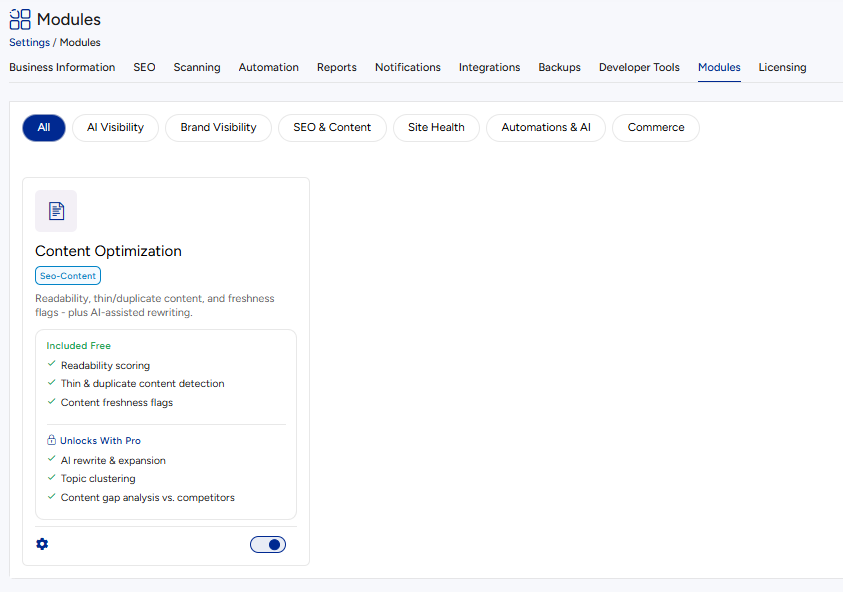
- Content gaps. Topics your competitors cover that your site doesn’t.
- Readability and structure. Suggestions to shorten sentences, add headings, or add an FAQ.
- Suggested changes. AI drafts for titles, descriptions and summaries. Each draft is shown for you to approve before it goes live.


