Pricing
WordPress maintenance that runs itself.
You fixed it, the score went up, then life happened. Months later an update has slowed everything, and nobody noticed.
VuloPilot scans on a schedule, emails what changed and logs every change, so you do not have to remember.
An AI assistant
|
Nobody can guarantee an AI answer. You can make yourself easy to pick.
Made-up example for illustration.
New to this? Start here
Your site changes daily. Your scores should too.
Scheduled scans keep every score current, reports tell you what moved, and History shows what changed, so you can prove a fix worked or undo one that did not.
1
The Routine
Scans on your schedule, with an emailed summary.
Scheduled scan & visibility report
No dashboard to babysit
The report comes to you.
Every change can be undone
Did not help? Undo it from History.
Set once, runs for good
Two switches. Routine work, gone.
Pillar 1 · The Routine
Pick a schedule. Get the summary by email.
A short email after each scan: scores, what was fixed, what is new and the best opportunities. When something slips, you hear first.
Weekly suits most sites.
AI crawler visits, last 7 days
- GPTBotOpenAI42
- ClaudeBotAnthropic27
- PerplexityBotPerplexity18
robots.txt
User-agent: *
Disallow: /wp-admin/
Your llms.txt, the reading list for AI, is editable from the same screen.
Made-up example for illustration.
GEO score40 / 100
VuloPilot checks all six on every page and shows a “Fix these first” card for the weakest.
Illustrative scores for a sample page.
Pillar 2 · The Logbook
Everything that changed, and a way to take it back.
Every scan, change and AI conversation in one timeline. Search it, export it, and undo any change from the same place.
Try it: search for “redirect”, or undo a change.
WordPress automation tools
The routine is free. Pro lets you build your own.
Scheduled site scan
Daily, weekly or monthly. Every score refreshed.
Free
Emailed visibility report
What changed, after every scan.
Free
History with undo
Every scan and change, searchable.
Free
PDF and CSV reports
Share with clients or your boss.
Free
Automation status
See errors and retry in one click.
Free
Workflow builder
Visual workflows with conditions, retries and logs.
Pro
Custom reports
Built your way, scheduled as PDF.
Pro
AI credit analytics
See where your credits go.
Pro
Workflow automation · Pro
When the built-in routine is not enough
Visual workflows with conditions, retries and run logs, plus scheduled custom reports.
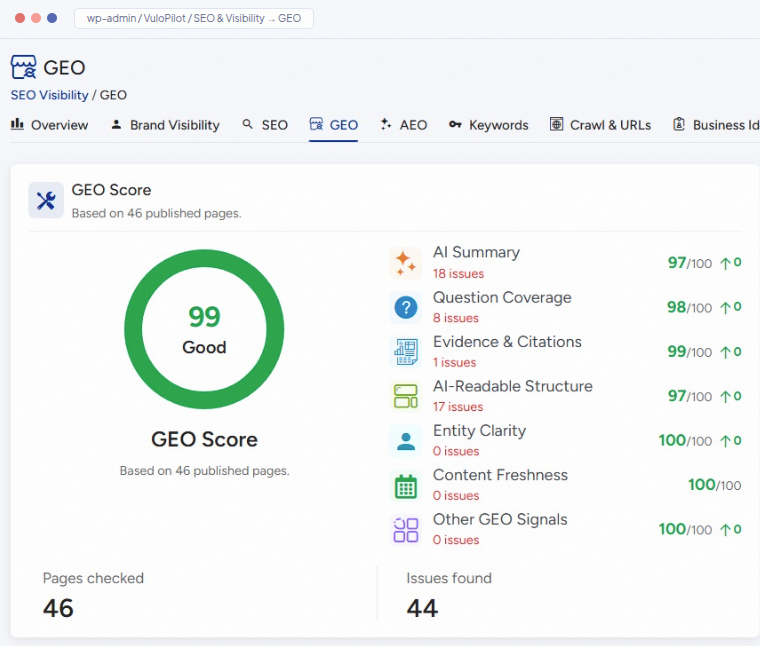
GEO Score: SEO & Visibility → GEO
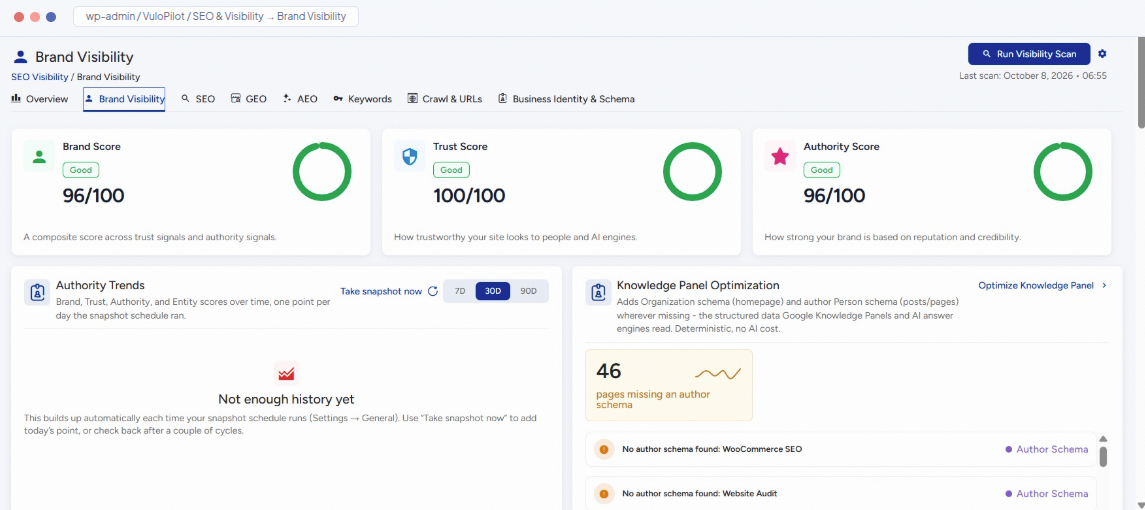
Brand Visibility: SEO & Visibility → Brand Visibility
“A score you checked three months ago is a memory, not a measurement.”
Questions you might have
Still have a question?
You have the questions. VuloPilot has the answers.
Free to start · No credit card required